Inside the ATS: what happens in the six seconds after you hit apply
Submit. Parse. Rank. Filter. The pipeline between you and a recruiter, step by step, and where good candidates quietly fall out of it.
You spend forty minutes tailoring an application, press submit, and the posting goes quiet. The silence feels like a verdict from a black box. It is not. Once you understand how applicant tracking systems work, the box turns out to contain a fairly ordinary piece of database software, and ordinary software is something you can prepare for.
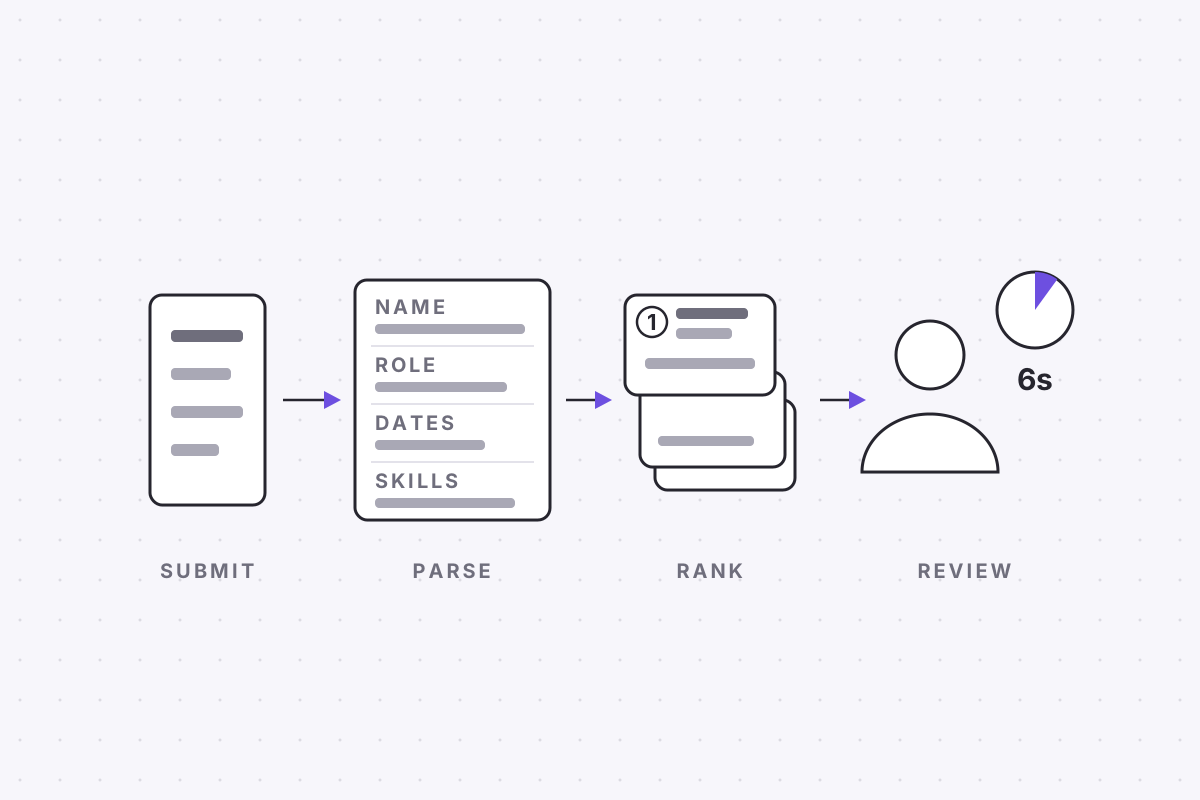
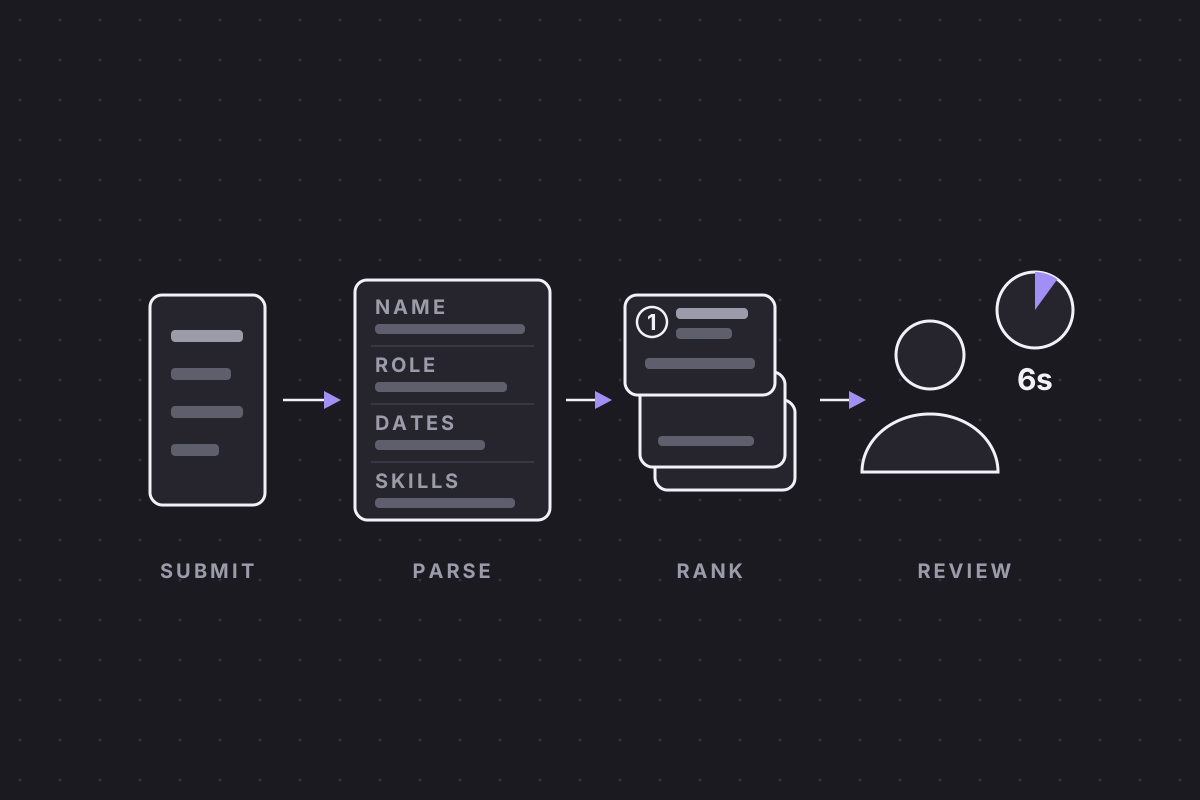
Every mainstream applicant tracking system runs the same pipeline. Your file is parsed into structured fields, stored as a candidate record, surfaced to recruiters through search, filters and rankings, and finally reviewed by a human who spends only seconds on the first pass. Workday, Greenhouse, iCIMS, Lever and Taleo wrap that pipeline in very different interfaces, but underneath they do the same four things in the same order. Here is what happens, roughly second by second, after you hit apply.
Second one: your file becomes a record
Ask what is an ATS and most answers describe a gatekeeper. A better description is a filing system. An applicant tracking system is the database of record for a company's hiring: every application, note, interview score and rejection lives inside it. The moment your file arrives, the software's first job is resume parsing, which means extracting your name, contact details, job titles, employers, dates, education and skills, and writing each one into its own database field.
The scale of adoption is why this matters. Nearly every large employer worldwide runs one of these systems, most mid-sized ones do too, and job boards feed them constantly. If you are applying to organisations of any size, in any country, some version of this parsing step is happening to your file whether you plan for it or not.
The output of that step is a candidate record. Your original PDF is kept as an attachment, but the record is what the system works with from this point forward. It is what gets searched, filtered, ranked and displayed. This holds no matter how the application arrives: a company careers page, a LinkedIn apply button and a job board integration all feed the same parser.
That is the single most useful fact about the whole pipeline. You did not really submit a document. You submitted raw material for a database row, and everything downstream depends on how cleanly that conversion goes.
What the parser keeps, and what it throws away
The parser keeps text it can confidently map to a field. It throws away nearly everything else, which includes almost all of your design decisions. Fonts, colours, icons, column layouts and graphics do not survive the trip.
Some of what it discards matters far more than aesthetics. Tables are often read in the wrong order, so a tidy skills grid can come out as scrambled text. Multi-column layouts can interleave, welding half a sentence from the left column onto half a sentence from the right. Text placed inside an image is invisible to most parsers. And some parsers skip document headers and footers entirely, which is a serious problem if that is where your email address and phone number live.
Parsing has improved. Modern systems use machine learning rather than crude pattern matching, and a plain, well-structured file usually comes through intact. But ambiguity still loses data. A section heading the parser does not recognise may see its contents dumped into a miscellaneous field, or dropped altogether. Standard headings, a single column and contact details in the body of the page are not stylistic preferences. They are instructions the parser can actually follow.
File format matters less than people assume, with one caveat. A simply laid out PDF and a .docx both parse well in modern systems, and the old advice to avoid PDF altogether is out of date. What no format survives is complicated structure, because the parser reads content, not containers. A scrambled table scrambles identically in either format.
Ranking and filtering: how applicant tracking systems build a shortlist
Once parsed, your record sits in a database alongside every other applicant for the role, often hundreds of them. No recruiter opens each one in turn. They query the pile, which is why understanding how applicant tracking systems work is really about understanding retrieval.
The first cut is usually filters: answers to application questions, location, and any hard requirements the posting set. The second cut is search, meaning keyword queries and sometimes boolean strings run against the parsed text of every record. Some systems add a ranking layer that scores records by their overlap with the job description, so the closest matches surface on the first page of results.
None of this is judgement in any human sense. It is retrieval, the same mechanics as a library catalogue. Records that contain the queried terms surface, and records that do not stay buried. That is why recruiters search resumes rather than read them, and why the vocabulary on your resume matters as much as the experience it describes.
The specifics of the filters shift by country. A posting in the United States may filter on work authorisation, a British one on right to work, others on visa sponsorship or notice period. The mechanism is identical everywhere. Recruiters also save these searches and reuse them across roles, so a record that matches well for one posting keeps surfacing for the next.
The recruiter's screen: what they actually see
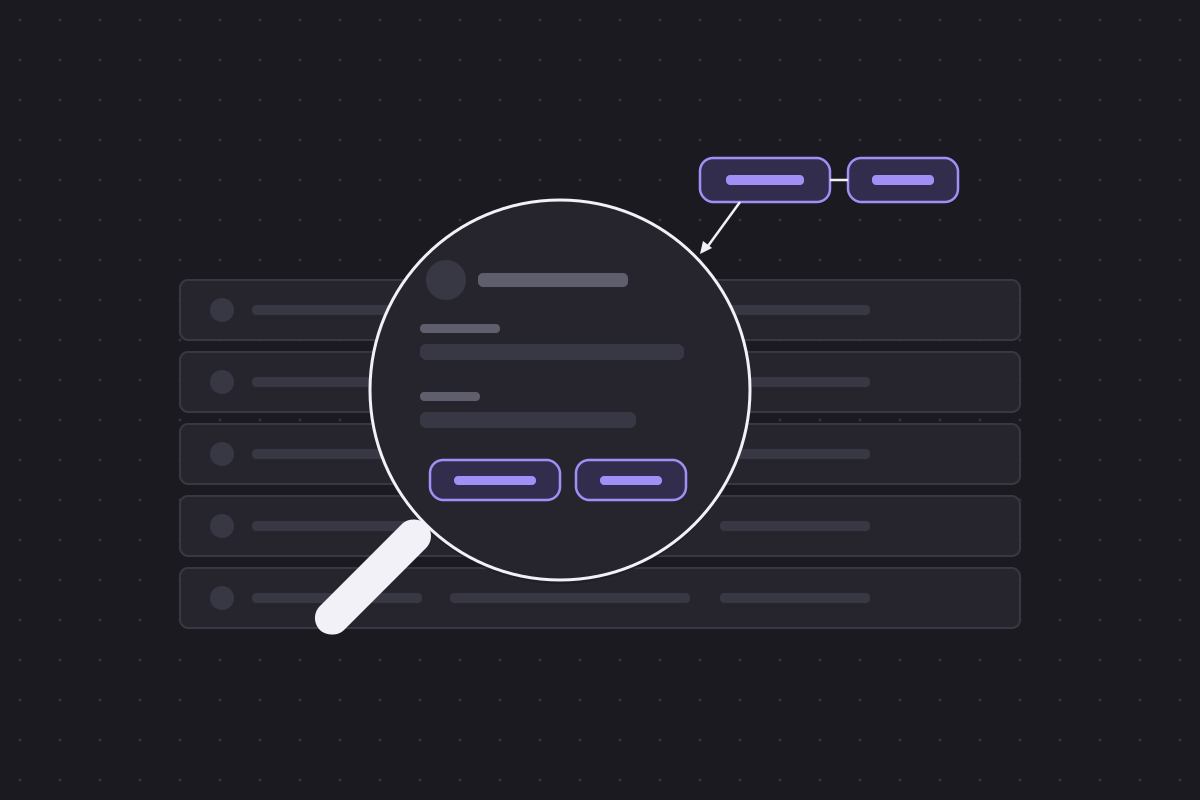
When a recruiter opens the role, they are not looking at a stack of PDFs. They see a list of parsed records: name, current title, current employer, dates, perhaps a snippet of matched text. Clicking a candidate usually opens the structured profile view first, your history rendered in the system's own plain formatting, alongside tags and notes left by colleagues.
Search results often highlight the matched terms in a snippet, the way a web search does, which quietly rewards resumes whose keywords sit inside meaningful sentences. Records also carry a status, advanced, rejected, on hold, and changing it takes a single click. That click, not any algorithm, is the moment most applications actually end.
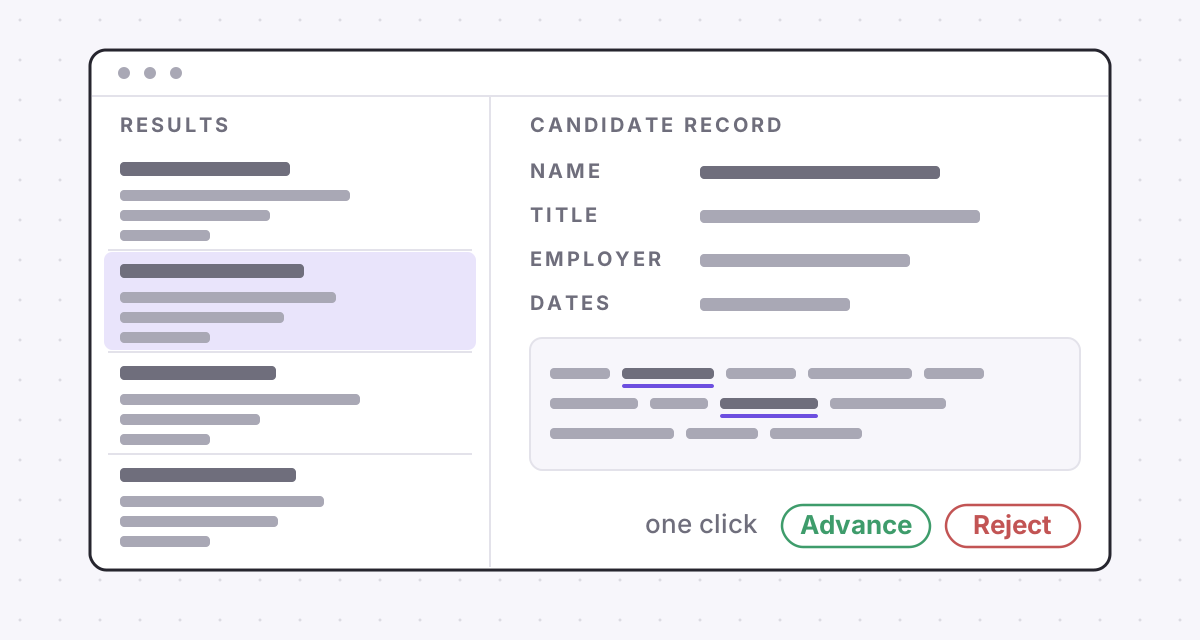
ATS resume screening happens on this stripped-down view. The designed document you agonised over may never be opened at all. Recruiters can view the original attachment, and many do at later stages, but during screening the parsed record is the resume as far as they are concerned.
The practical consequence is blunt. Your first impression is not your typography. It is whether the record is complete, whether the titles and dates parsed cleanly, and whether the words the recruiter searched for are actually present.
Six seconds of human attention
Eventually a human reads. Commonly cited eye-tracking research puts a recruiter's first scan of a resume at roughly six to eight seconds. The exact figure is best treated with caution, since the studies behind it are small, but the order of magnitude matches what recruiters themselves report about screening at volume.
What matters more than the number is the decision being made. A six-second scan is not choosing who to hire. It is choosing keep or discard, deciding whether your record stays in the pile that earns a proper read. The eyes go to current title, current employer, dates, previous role and education, in roughly that order. If the scan finds a plausible match, you win a slower second read. If it finds nothing, the next record is one keystroke away.
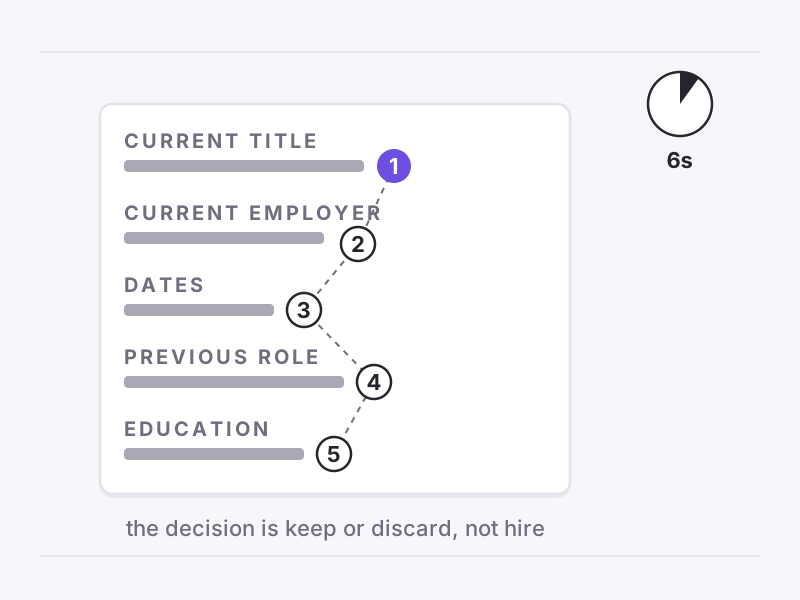
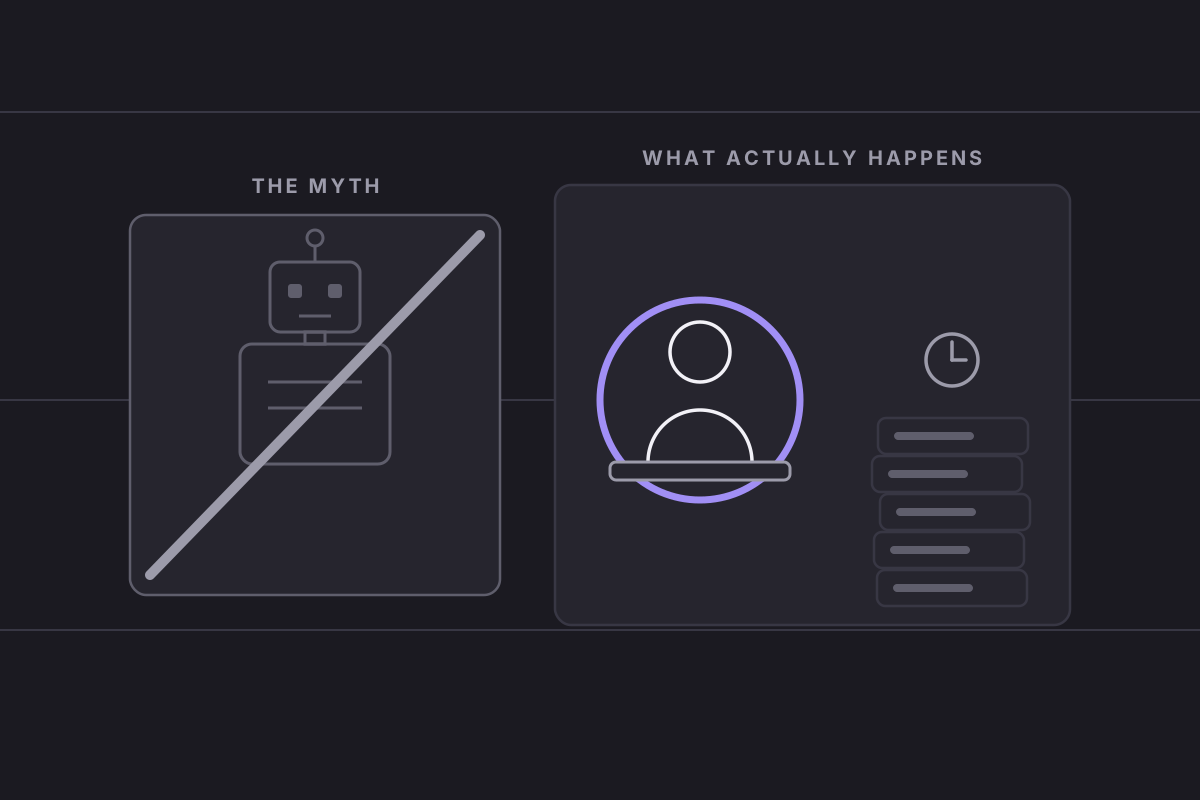
The arithmetic explains the brevity. A posting that draws three hundred applicants would take a full working day to screen at ninety seconds each, on top of every other role the recruiter carries. Nobody gets ninety seconds. This is also why the popular image of a machine coldly rejecting applicants is mostly wrong, a point unpacked properly in who actually rejected your resume. The filter with the highest kill rate is a busy person moving quickly through a stripped-down list.
Where good candidates fall out, and how to stay in
Put the pipeline together and the failure points name themselves. Most so-called ATS rejections are not rejections at all. They are parsing failures that mangled the record, keyword misses that kept it off the first page of search results, or a rushed human skipping a record that gave them nothing to hold onto in six seconds. Every one of those is preventable.
The fixes follow directly from the mechanism. Use a single-column layout with standard section headings so the parser maps everything cleanly. Keep contact details in the body of the document rather than the header. Mirror the posting's own vocabulary for the skills and tools you genuinely have. Put your strongest, most relevant material where a scanning eye lands first, at the top of the page and at the start of each role. Dates deserve particular care too, since gaps and overlaps a human would ask about in person read as unexplained noise on a stripped record.
Then check your work at the level that counts, the record rather than the document. Running your file through a parser yourself, which is exactly what ApplyHustle's free ATS check does, lets you see your resume the way the ATS sees it before any recruiter does.
The system is not your enemy. Its opacity is. Six seconds is plenty of time to be kept, provided the machine handed the human a clean record and the record leads with the right words.