You don't have a LinkedIn problem. You have a search problem.
Recruiters don't browse LinkedIn, they run filtered queries. If your profile misses the exact terms, you are not in the results at all.
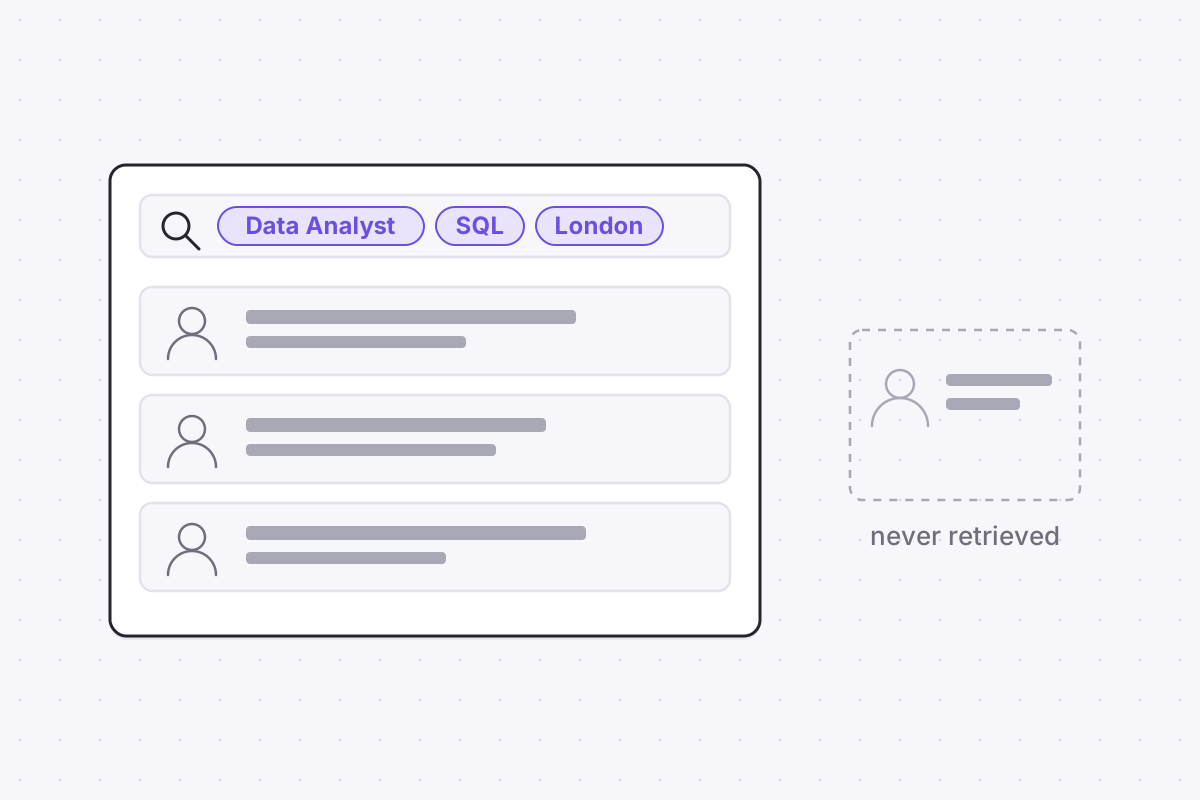
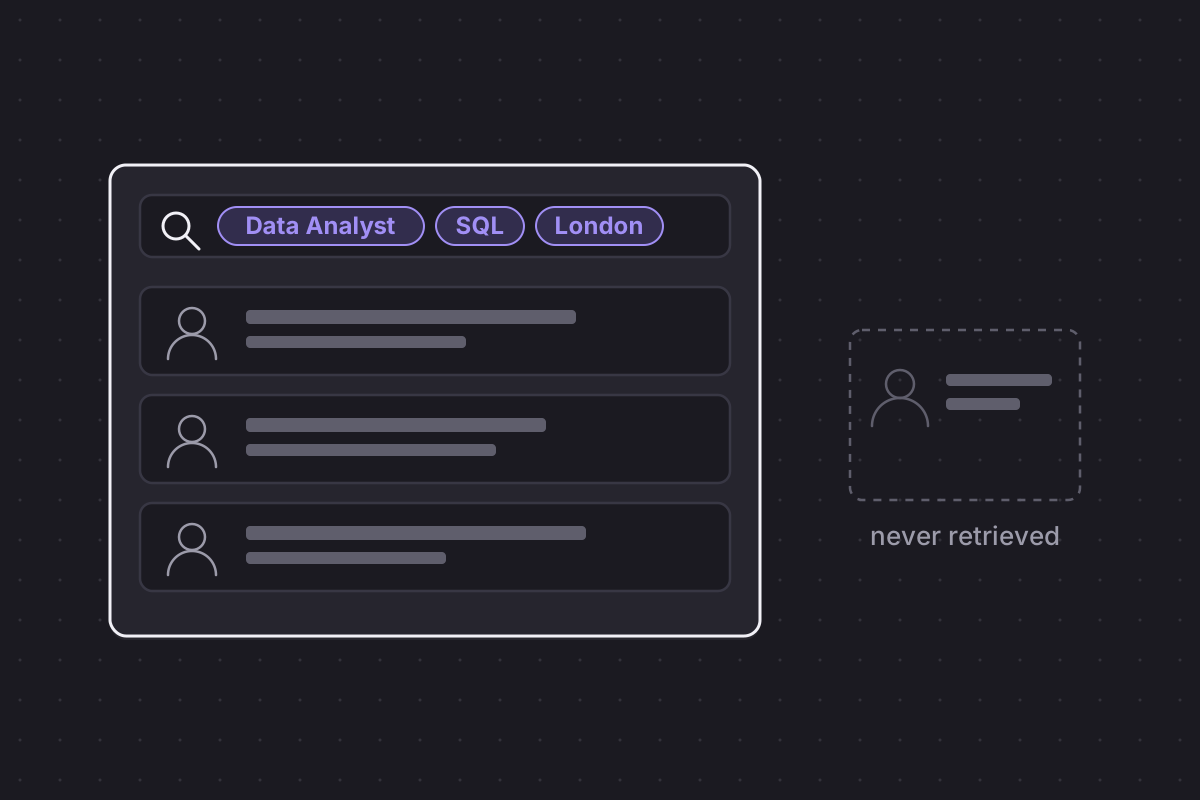
The complaint arrives in the same shape every time. The profile is complete, the experience is real, the endorsements are in place, and recruiters never call. The usual self-diagnosis is that the profile needs to be more impressive. The actual fault is nearly always that the profile cannot be found, because LinkedIn profile optimization is a search problem, and most profiles are written as if a human will browse their way to them.
No recruiter browses. They pay for a query tool and work through its results, and a profile that does not match the query does not rank low. It does not appear at all. That single fact reorders every piece of profile advice you have ever read.
Recruiters don't browse, they query: the case for LinkedIn profile optimization
The tool is LinkedIn Recruiter, and it behaves like a database front end. A recruiter filling a role builds a query from filters: job title, skills, location, years of experience, industry and more. The tool returns a result set, and the recruiter works down it, opening profiles, shortlisting, messaging. Sourcing time is spent inside that result set and almost nowhere else.
The consequence is unforgiving. A profile missing the exact terms a query uses never enters the result set, however strong the career behind it. There is no partial credit for synonyms and no discovery path for the beautifully written but untagged. This is the same behaviour that governs applicant databases, where recruiters search resumes rather than read them. LinkedIn simply runs the same logic at platform scale.
So the order of operations matters. Searchable fields first, prose second. Most people polish in exactly the wrong order, spending a weekend on the About section while their Skills list still says "Microsoft Office".
Finding the right terms is not guesswork either. Read five postings for the role you want and note the title and skill vocabulary they repeat; that vocabulary, not your own, is what recruiters type into the tool. Your profile does not need to impress the query. It needs to match it.
The headline: 220 characters doing the heavy lifting
The headline field allows 220 characters, and it follows you everywhere: search results, connection requests, comments, message previews. It is the highest-traffic line you control on the platform. The default, your current job title at your current company, spends almost none of those characters on what you want to be found for, and for anyone hoping to change direction it actively advertises the wrong thing.
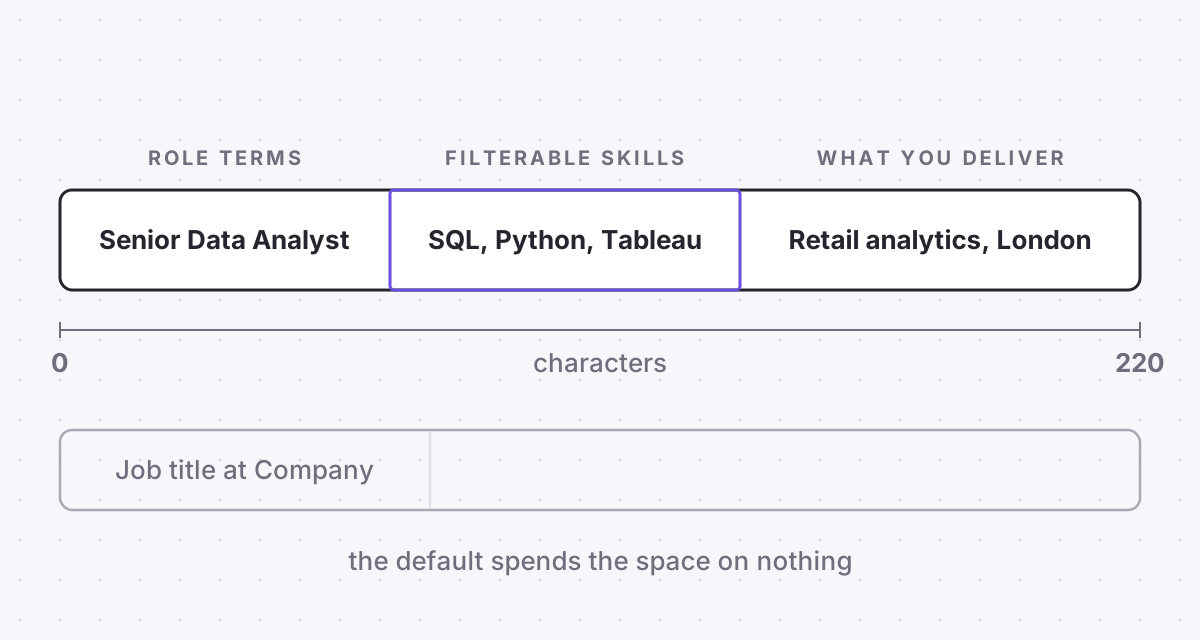
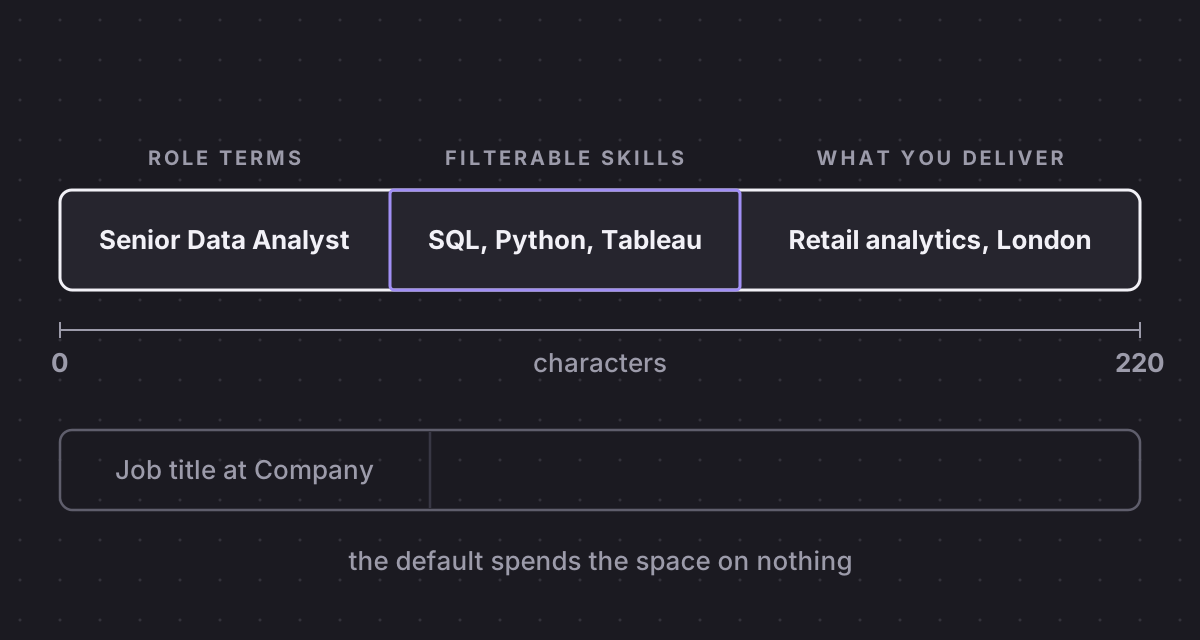
A working headline covers three jobs: the role terms you want to surface for, the core skills recruiters filter by, and one specific line of what you deliver. A few invented but realistic examples, purely illustrative:
- Senior Data Analyst | SQL, Python, Tableau | Retail and e-commerce analytics | London
- Frontend Engineer | React, TypeScript | Accessible fintech interfaces | Open to remote across the EU
- Project Manager moving into Scrum Master roles | PSM I certified | Agile delivery in healthcare IT
Notice what these do not contain: "passionate", "results-driven", a motivational quote. Every segment is either a term a recruiter might actually type or a fact that helps them qualify you in two seconds. That is the whole job of the field.
The third example carries the most weight. A career changer's default headline points backwards at the old role, so searches for the new one never surface it. Stating the target role in plain terms is the only way into those result sets, and the honesty of "moving into" costs you nothing with a recruiter who reads it.
Skills, titles, location: the fields LinkedIn Recruiter filters on
The Skills section looks decorative and is anything but. It is a literal filter field. Recruiters filter result sets on listed skills directly, so a skill that lives only in your About text is invisible to that filter. If you work in Kubernetes, Figma or IFRS reporting, those exact names belong in your Skills list as well as your prose, and the skills most relevant to your target role belong at the top of it.
Job titles are query targets too, and internal titles do not travel. "Member of Technical Staff II" and "Customer Happiness Lead" match nothing a recruiter types. Translate to the market-standard title where honesty allows, and keep the internal name in the role description if it matters to you.
Location and dates complete the filter set. Recruiters filter hard on location, and years-of-experience filters are derived from your dated roles, so undated entries quietly shrink your career. The "Open to Work" signal is worth setting deliberately: you can show it to recruiters only, and LinkedIn attempts to hide it from recruiters at your current employer, with the stated caveat that it cannot guarantee this. For most people quietly searching, the recruiters-only setting is the sensible default.
Your About section is for humans. The rest is for the index.
Once the searchable fields are right, the About section has a different job entirely. The person reading it has already found you. The About exists to convert that click into a message, so write it for a human. The first two lines carry the whole pitch, because that is all that shows before the fold, then a short account of what you do, one or two numbers as proof, and a line on what you want next. Keyword-stuffing this section helps nobody; the index already got what it needed from the fields above.
A useful test: show the first two lines to someone outside your industry and ask what you do and what you are looking for. If they cannot answer both, rewrite those lines before touching anything else on the page.
The same division of labour covers the visual layer. Photo, banner and Featured section do no filtering work at all, but they do conversion work once a recruiter lands on the page. Most people leave the cover banner blank, a billboard going unused, when a single image stating what you do would reinforce the headline in the first second of the visit.
What the LinkedIn Analyzer checks before a recruiter does
The useful news is that all of this is checkable, in a fixed order. First the index: a headline spending its 220 characters on target terms, a Skills list carrying the actual names of your tools, titles in market language, location and dates complete. Then the human layer: an About section that pitches above the fold, a banner that says something, a Featured section with evidence in it. ApplyHustle's LinkedIn Analyzer runs exactly this inspection, flagging the searchable fields the index cannot see before scoring the parts a human will, and it draws on the same profile that powers your resume.
The profile you have is probably fine. The problem is that the queries never met it. Fix the fields the filters actually read, in that order, and the "LinkedIn problem" tends to dissolve, because your career never had a visibility problem. Your profile had a search problem, and search problems have mechanical fixes.